
IT Consultant & Dealers:  Lines in Image & EzSensor Power Management Options for Intra Oral Sensors

Written on Jun 5, 2020

Modern PC USB power options have greatly changed over the past few years and as reults for power saving options come enabled which will cause some USB Based devices not to perform at optimum performance or experience some issues due to the way Windows manages these power options.

Power Options will need to be changed for the following conditions: 
  • Setup & New installation
  • Random disconnect issues of USB Sensor
  • 'I/O Device not found' messages. 
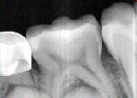
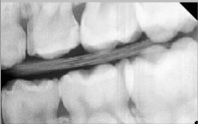
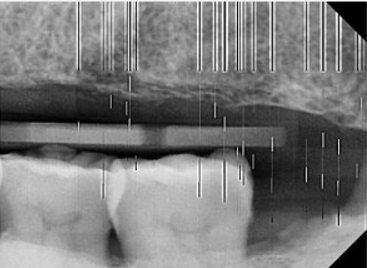
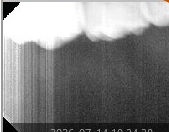
  • Lines in images during aqusition such as the following examples: 


The following video should be followed to adjust the USB and Intel Management Engine Power options. 


  • Once the power management options as outlined are selected please ensure the USB Sensor is connected to a high power USB, 3.0 Port 
  • If using a lower powered PC; it might be required to use a Powered USB 3.0 hub to connect the sensors. 
  • Try to use the sensor with out the USB extention. If this solves the issue a new one can be ordered - EzSensor USB Exention. 
  • If the lines still appear contact service for further support 1-888-396-6872 Option 2. 


Related Products

Counts indicate more articles with the same products