

Please use the following search box to quickly locate valuable FAQ support guide.
You can use key words or full statement to search by. Alternatively you can simply browse by Category belowInstallation of Sensor
Install the EzSensor on to the PC in question
https://vatechamerica.com/faq/hardware-sensors/how-to-install-ezsensor
Please note that each individual EzSensor must be installed on each PC it will be used on
Default TWAIN MultiCapture TWAIN driver is installed at time of installation, no updates are required if using TWAIN*
XVWeb & XVCapture
All support of XVWeb & XVCapture should be handled using Apteryx Imaging Support by PlanetDDS.
Once the EzSensors are installed, please navigate to this website below:
https://apteryximaging.zendesk.com/hc/en-us/articles/4412758829595-Current-Imaging-Downloads
Download the latest Vatech EzSensor plugin 'Vatech Sensor 11.0.0.1 (Or Newer)
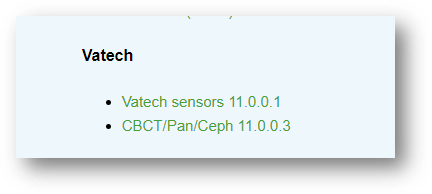
Run this plugin on one PC in question
Confirm the plugin is upgraded via the software upgrader
Open XVWeb/XVCapture and adjust filters accordingly
Finally, test the EzSensor on each PC to confirm functionality
All support of XVWeb & XVCapture should be handled using Apteryx Imaging Support by PlanetDDS.