

Please use the following search box to quickly locate valuable FAQ support guide.
You can use key words or full statement to search by. Alternatively you can simply browse by Category belowThis manual provides instructions for updating the BIOS on Dell PCs. The update is intended to help resolve performance issues and blue screen errors, if unable to boot into Windows to download the Bios Updates from Dell's support website and run normally.
Current latest driver version: 591.86 | WHQL
Before starting the BIOS update, please ensure the PC has a physical Ethernet connection with active internet access.
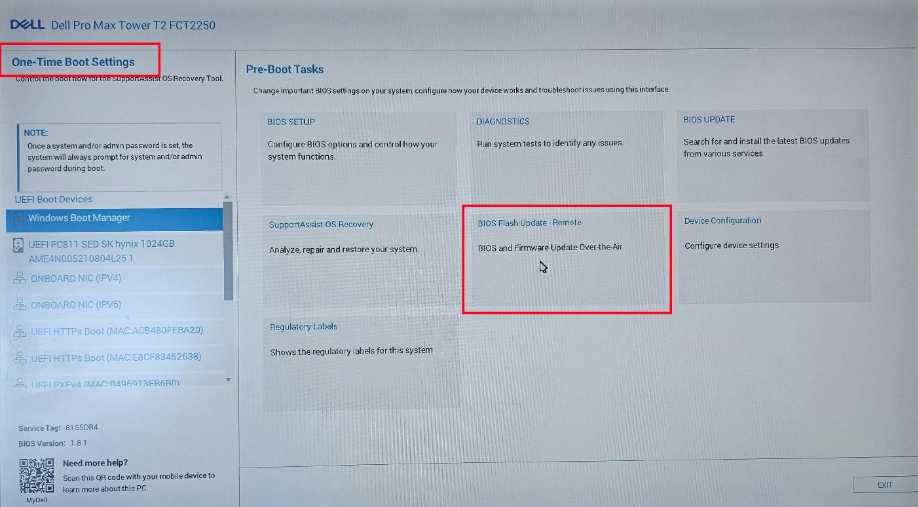
Power on the PC and repeatedly press F12 until the One-Time Boot Settings menu appears. In the Pre-Boot Tasks section, Click BIOS Flash Update-Remote.
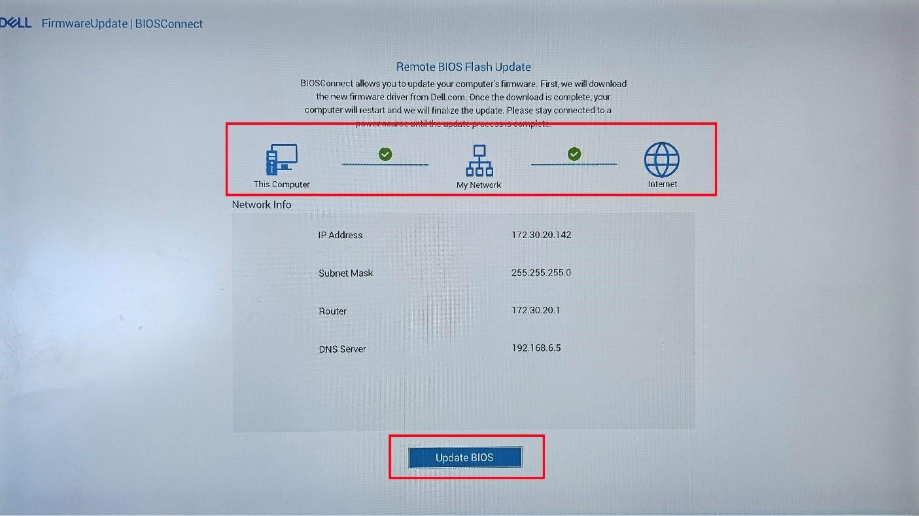
In the Remote BIOS Flash Update screen, the PC will begin to check for internet access. The Update BIOS button at the bottom of the screen will not become available until there are two green checkmarks in the diagram. Once available, click Update BIOS to download the updated BIOS version.
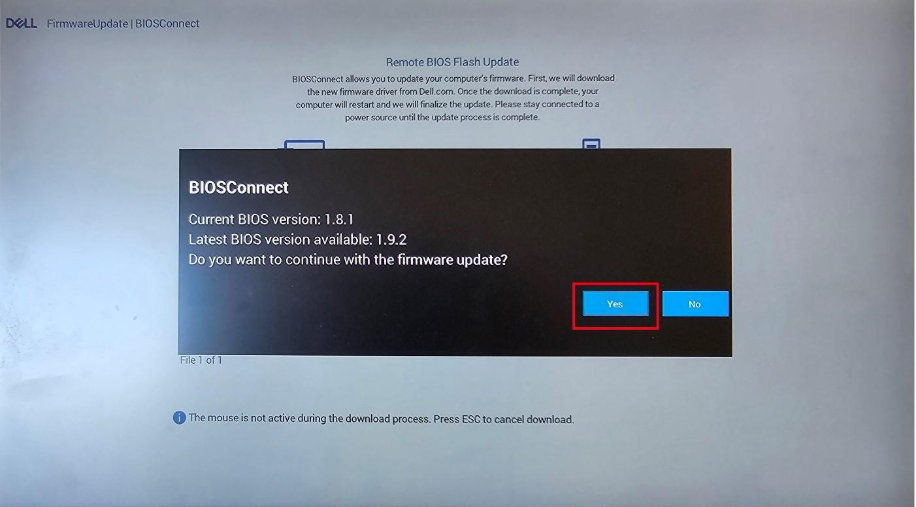
Once the new BIOS version has been downloaded, a BIOSConnect will appear showing you the current and new version of BIOS. Click Yes when this screen appears.
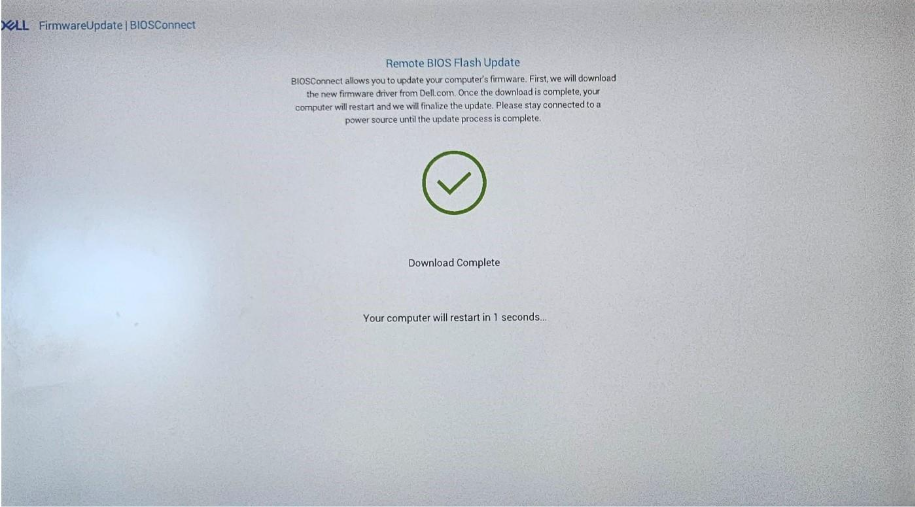
Your PC will then begin to install the new version of BIOS. This will require multiple restarts which will be done automatically.
Update GPU Driver:
- Update RTX 5070 to latest NVIDIA driver
Current Latest Driver Version Download: 591.86 | WHQL