

Please use the following search box to quickly locate valuable FAQ support guide.
You can use key words or full statement to search by. Alternatively you can simply browse by Category below
Please consult with your qualified IT consultant or OpenDental Support. The following link is is provided as a reference only and subject to change with out notice.Please contact Open Dental for any support related needs.
OpenDental supports bridging to both Easydent4 as well as EzDent-i and CleverOne. Please consult with your qualified IT consultant or OpenDental support,. the following guide is provided as a reference only and subject to change with out notice.
Open Dental-EzDent-i Setup Instructions:
Open Dental Cloud (Cloud based)
Open Dental Cloud based supports the SDK just as the local installation but you will need to follow this guide directly on Open Dental's website or contact Open Dental.
Open Dental Cloud based Integration Instructions (Click here)
Open Dental (Local Software install)
Open Dental Integration Instrcutions (Click here)
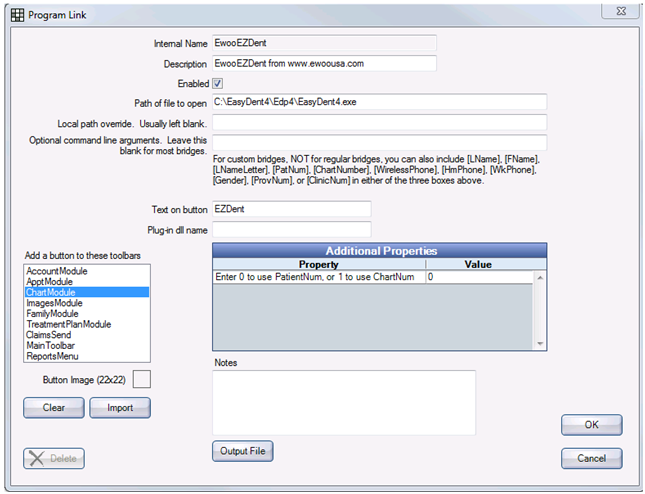
Note: Use Local Path Override when trying to set up bridge on one workstation that has a different path then the one used above. Ex if Ezdent-I or Easydent 4 were installed in a different location path as these settings affect all Open Dental configurations. One setting for all PCs on network.
CleverOne:
Open Dental-CleverOne Setup Instructions:
CleverOne Bridge will be native in Open Dental Version 25.4.1.0
Please contact OpenDental Support for setting up the OpenDental bridge to CleverOne.
Bridge Icons
Offices that want the bridge button inside OpenDental to show the actual Icon of the 3rd party can follow this helpful guide to self import icon image for their bridge.
Note: Vatech Support does not offer any support in setting up the bridge or icons. Please contact OpenDental Support for any support needs.
Download and Exact: Vatech Bridge Icons
While setting up the bridge, User can click "Import" to add a 22 x 22 image file to the button (in the lower left)
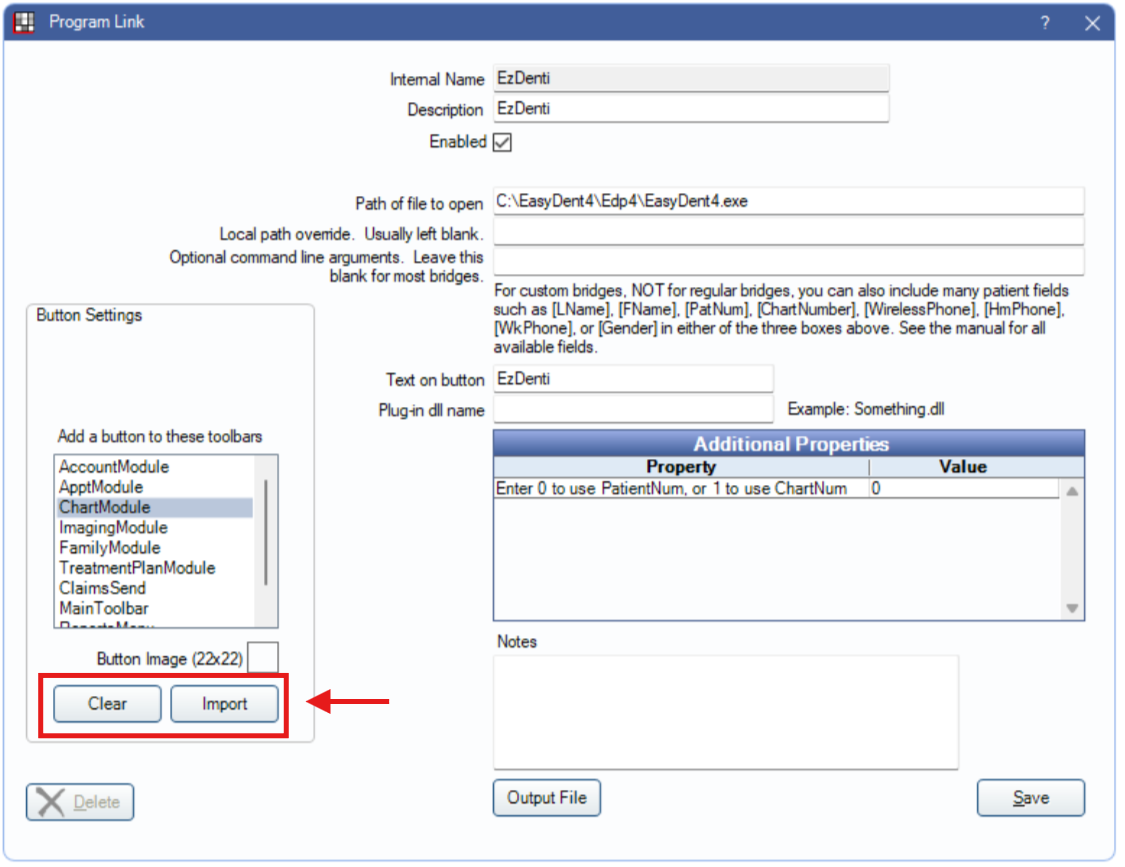
From the downloaded Vatech Bridge Icons select the appropriate icon for which software is being linked.
Click Save.