
Please use the following search box to quickly locate valuable FAQ support guide.
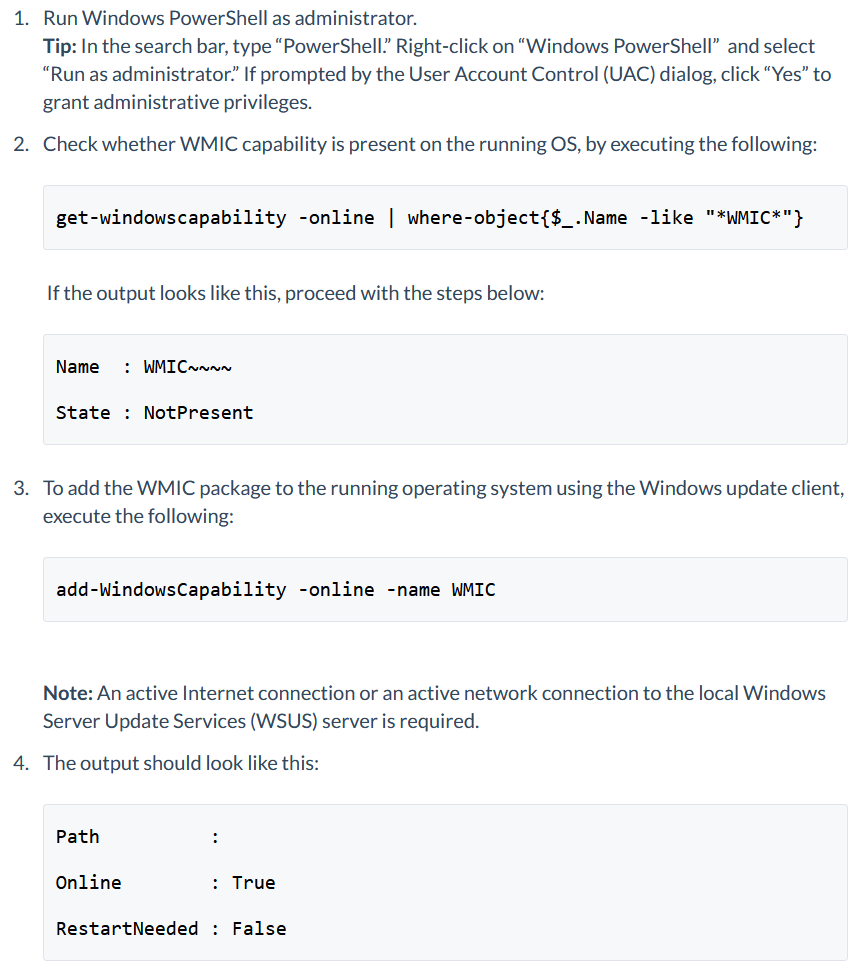
You can use key words or full statement to search by. Alternatively you can simply browse by Category belowAs part of the deprecation of the WMI command-line (WMIC) utility, it is disabled by default on Windows 11. This article provides steps about adding the WMIC capability to Windows 11, needed for some software to work properly, call to GPU Such as DavisToolkit for Ez3D-i or other command line entries or flickering ports / services not starting.
EzServer Versions lower than 5.5.3 - Server Control Pannel might flicker services, Saving, Failed to connect post update by MSE on 9/10/2026 and up.
Previous versions before 2.3.4 they must update to 2.3.4.
Current Version: | Update to Version (Download Link)
Version 2.3.4 to version 3.0.8
Version 3.0.8 to 4.1
Version 4.1 to 5.1.1.
Version 5.1.1 to 5.3.3
Version 5.3.3 to 5.5.3
Example: If the version of EzServer is on 4.1.3 you will need to update to 5.1.1 then 5.3.3 then finally to 5.5.3. Note: EzDent-i and Ez3D-i will also need to be updated to recent version as well to matching version as outlined on update guide.
B. DavisToolkit Error due to WMIC on Windows 11 Removal
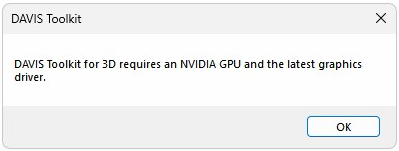
Please note WMIC is End-Of-LIFE 'EOL' on Windows 11 25H2. All previous versions is optional and the following guide can assist with enabling that optional capability.
How to solve WMIC Temporary LINK:
Microsoft Article : Windows 11 25H2
Steps:
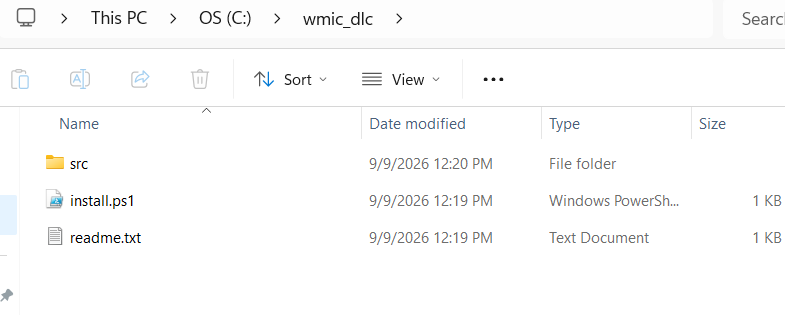
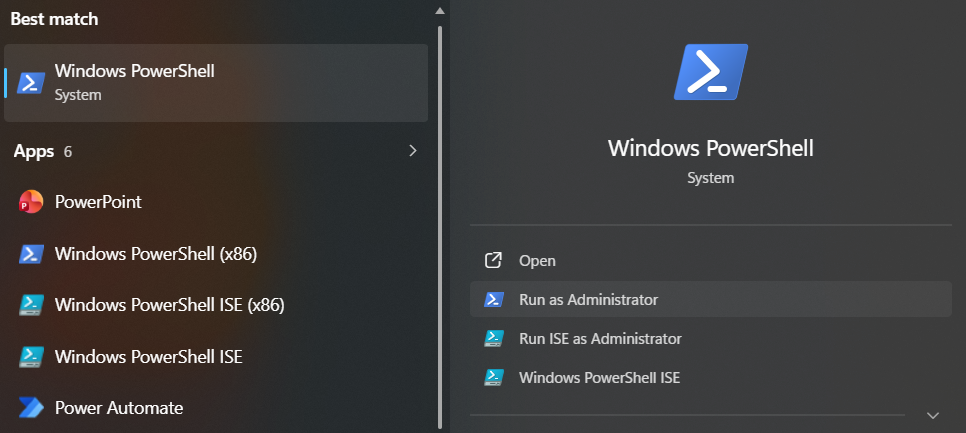
wmic_dlc folder, by Typing CD C:\wmic_dlc
Set-ExecutionPolicy Bypass -Scope Process

.\install.ps1
WMIC has been installed successfully.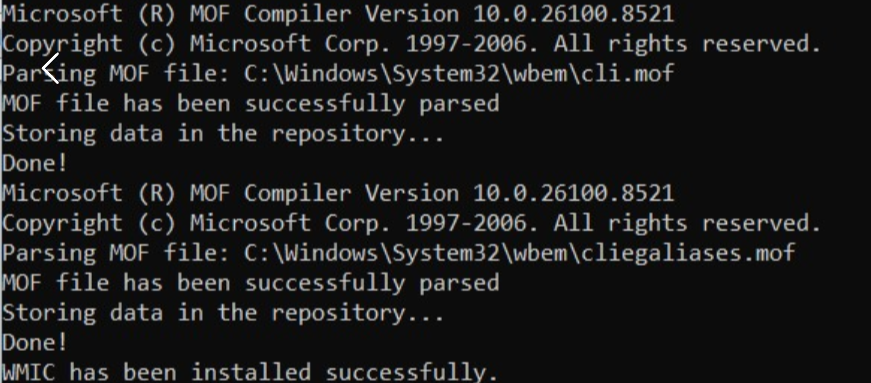
C:\Windows\System32\wbem.Example PowerShell commands steps 4-7 as noted above : 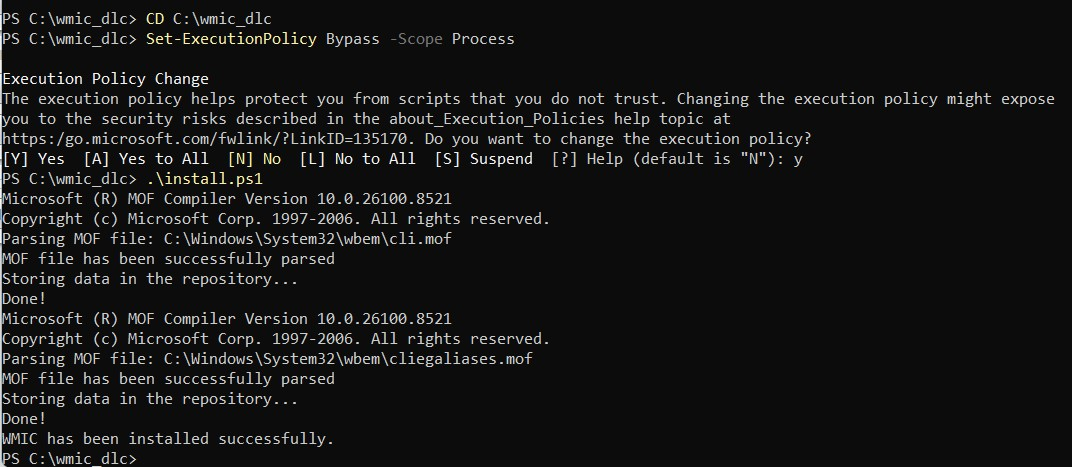
9. Retest the affected application, script, or workflow.